

Testing ideas
Try five openings for a video instead of one, and keep the prompt that works.
Veo 3.1 Lite makes the same kind of clip as the other Veo 3.1 tiers — 8 seconds, sound included, from a prompt or a photo — at the lowest cost of the three. It is the default model on Veo Video, and a new account can make its first 720p clip free.
Production preview
Two text-to-video clips, with the prompts behind them.
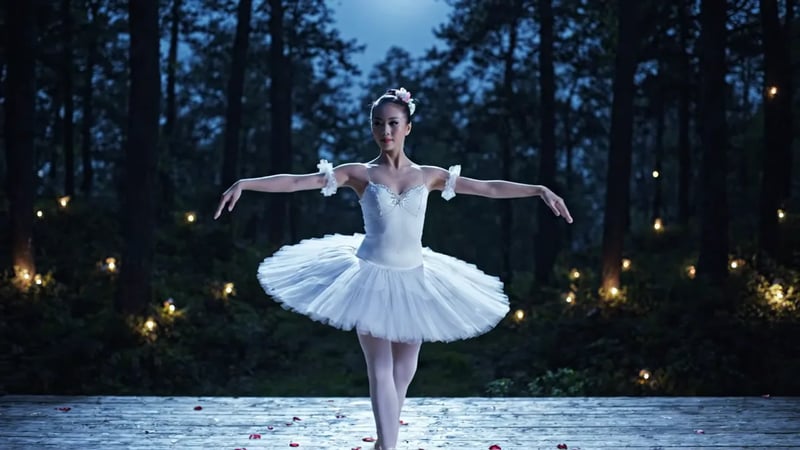
Veo 3.1 Lite, text to video. Prompt: "A ballerina performing an elegant pirouette on a moonlit outdoor stage… Rose petals swirl around her in slow motion. The background is a dark forest with fireflies. Camera orbits slowly around her as she spins." Watch how the orbit, the slow motion and the fireflies all come from the prompt. For concept clips and social posts, this is often all you need.
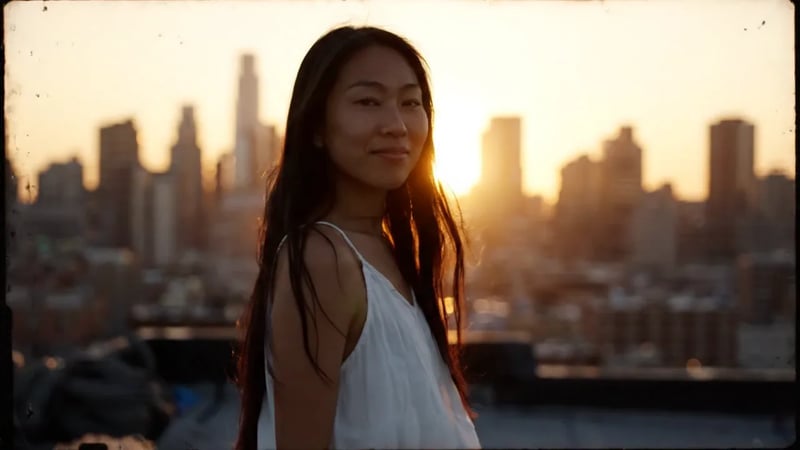
Veo 3.1 Lite, text to video. The prompt has two paragraphs: a woman on a rooftop at golden hour with a slow push-in, then an old fisherman mending a net on a foggy dock with a distant foghorn. The clip cuts from the first scene to the second. Try this when you want to test how two shots sit together before you spend more on either.
Lite takes the same inputs as Veo 3.1 and makes the same kind of clip. What changes between the tiers is fine detail and price.
Dialogue, effects and ambience are generated with the picture, as on Veo 3.1 and Veo 3.1 Fast.
Start from a prompt, animate a photo, or give a start and an end frame and let Lite fill in the motion between them.
On Veo Video, Lite renders at all three resolutions. Draft at 720p; render a keeper at 1080p or 4K.
9:16 for Shorts, Reels and TikTok, 16:9 for YouTube and the web.
Veo 3.1 gives the highest fidelity for a final take. Veo 3.1 Fast sits between the two and is the tier that accepts up to three reference images.
When a clip will be seen large or up close — an ad, a hero video, a dialogue scene where faces matter — run the same prompt on Veo 3.1 Fast or Veo 3.1.
Try five openings for a video instead of one, and keep the prompt that works.
Short vertical posts where the idea and the sound matter more than fine texture.
Block out scenes, camera moves and transitions before a shoot or a bigger render.
Check how a product photo or portrait moves before you commit a higher tier to it.
Lite is the cheapest way to make a Veo 3.1 clip at every resolution. All three tiers make 8-second clips with sound in 16:9 or 9:16.
| This pageVeo 3.1 LiteDrafts and high-volume clipsGenerate | Veo 3.1 FastEveryday work, reference images | Veo 3.1The final, most detailed takeOpen Veo 3.1 | |
|---|---|---|---|
| Reference images | — | Up to 3 | — |
| Credits at 720p | 30 | 60 | 250 |
| Credits at 1080p | 35 | 65 | 255 |
| Credits at 4K | 150 | 180 | 380 |
Describe the subject, the action, the camera and the sound. 720p is enough to judge timing, motion and audio.
If the camera is wrong, change the camera line; if the voice is wrong, change the quoted line. One change at a time shows you what each edit does.
If Lite is good enough for the job, run the prompt again on Lite at 1080p or 4K — you get a new take at the higher resolution.
For more detail, run the same prompt on Veo 3.1 Fast or Veo 3.1. Expect a new take that follows the same prompt, not an upscale of the draft.
Veo 3.1 Lite is the lowest-cost tier of Google DeepMind's Veo 3.1 video model, released in March 2026. It makes 8-second clips with sound from text or images, like Veo 3.1 and Veo 3.1 Fast, and Google positions it for high-volume work.
New accounts get 30 free credits — enough for one Lite clip at 720p. After that, a Lite clip costs 30 credits at 720p, 35 at 1080p and 150 at 4K, from a plan or a credit pack.
Both make the same kind of clip with sound. Fast costs more and gives more detail, and it is the tier that accepts reference images. Lite is the better choice for drafts and for clips you make in volume.
Yes. Every clip comes with sound generated alongside the video — dialogue, effects or ambience, whatever the prompt describes. Put spoken lines in quotes.
Yes. Choose image to video and upload the photo as the first frame; add an end frame if you want to control where the shot lands. Photos of adults work; photos of children are blocked by Google's safety rules.
On Veo Video, yes: choose 720p, 1080p or 4K in the generator. 720p is the cheapest way to check a draft.
Each generation is an 8-second clip.
The full-quality Veo 3.1 tier for final takes, and the model that brought sound to Veo.
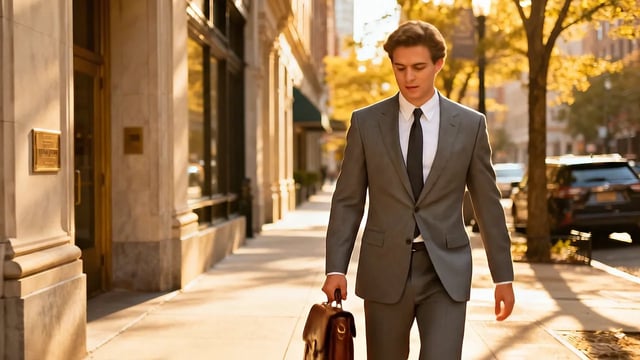
Veo 3.1 is the current version of Google DeepMind's Veo. Give it a prompt or a photo and it returns an 8-second video with dialogue, sound effects and ambience generated alongside the picture. The generator below runs the full-quality Veo 3.1 tier — the one to use for the take you publish.
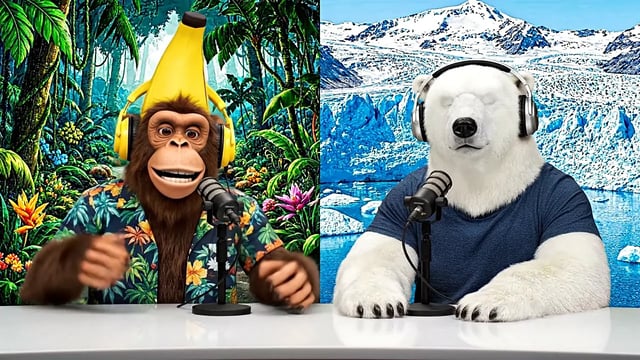
Veo 3 was the first Veo model to generate sound with the picture: dialogue, sound effects and background noise in the same clip. Google has since replaced it with Veo 3.1, and every Veo video you make here runs on Veo 3.1 — the same kind of prompt, with sound, and closer prompt following.
A new account can make its first 720p clip free. Write a prompt or upload a photo to start.