

Short-form creators
Make vertical clips with built-in sound for Shorts, Reels and TikTok, testing several hooks on Veo 3.1 Lite before picking one to polish.
Describe a scene or upload a photo, and Veo 3.1 turns it into an 8-second video with sound — dialogue, footsteps, rain on the window, all generated with the picture. Start with Veo 3.1 Lite for quick takes, then move up to Veo 3.1 Fast or Veo 3.1 when a shot is worth the extra detail.
Production preview
Four clips made with Veo 3.1, each paired with the prompt behind it, so you can see how much a few lines of text control.
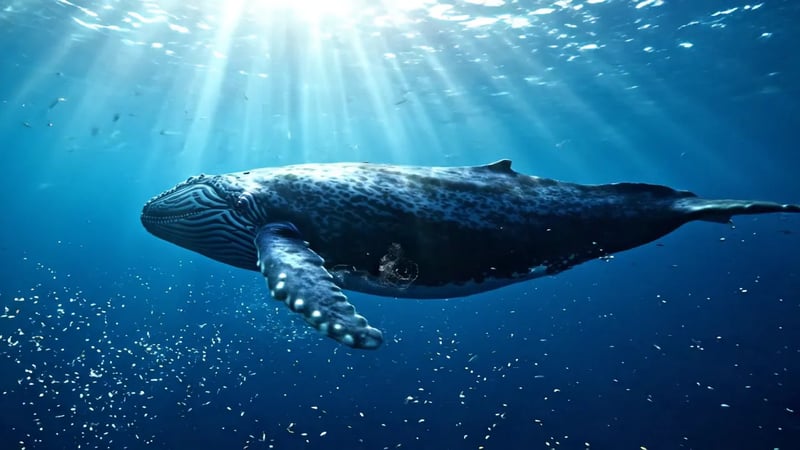
Veo 3.1 Lite, text to video. Prompt: "A massive blue whale glides through crystal-clear deep ocean water, sunlight rays piercing through the surface above, bioluminescent plankton scattered around, cinematic slow motion." Watch the light rays move through the water and the plankton drift in the foreground — the pacing follows "cinematic slow motion".
Veo 3.1, image to video with a start and an end frame. Prompt: "The paper ball becomes a flyable paper airplane under a series of changes." A crumpled paper ball on the first frame becomes a paper airplane on the last, and Veo fills in the folding in between. Use this when you already know where a shot has to start and land.

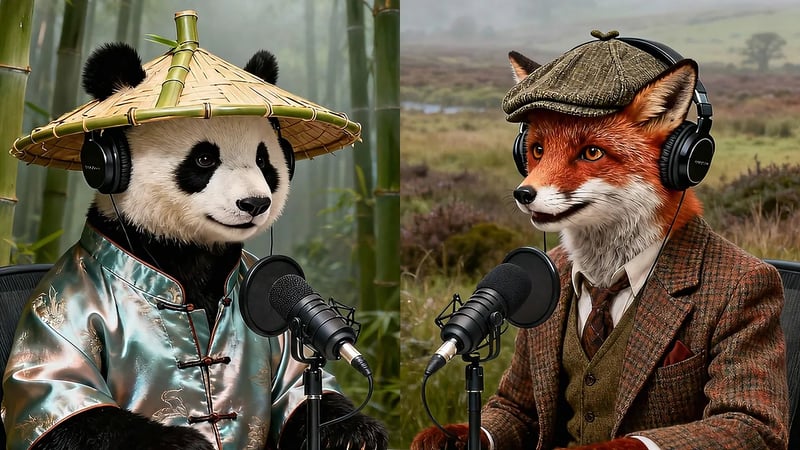
Veo 3.1, image to video. The prompt names two hosts and scripts their opening lines — "Welcome to Quantum Quibbles! I'm Bamboo." "And I'm Tweed!" — and the voices, the timing and the mouth movement all come from one generation. Put spoken lines in quotes and Veo delivers them.
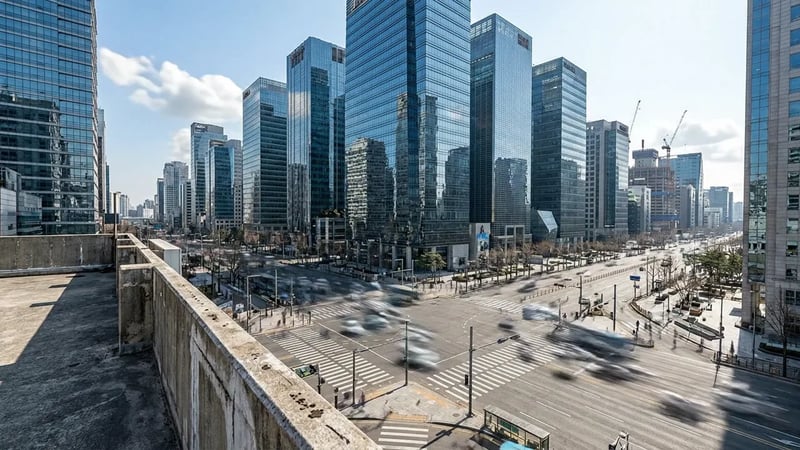
Veo 3.1 Lite, image to video. Prompt: "Time-lapse of the city transitioning through the day. Shadows shift across buildings, traffic flows in streaks of light, clouds race across the sky." A skyline photo moves from midday to golden hour. Use it for a product or location shot you already have.
Veo is Google DeepMind's video generation model, and Veo 3.1 is its current version. It follows prompts more closely than Veo 3 and generates sound together with the picture, so a clip arrives with its own dialogue, sound effects and ambience instead of a silent track you have to score later. Veo 3.1 has replaced the original Veo 3, and every Veo video here runs on it, in three tiers that make the same kind of 8-second clip: Veo 3.1 for the highest fidelity, Veo 3.1 Fast for a balance of quality and cost, and Veo 3.1 Lite for high-volume drafts.
A simple way to work: find the shot on Veo 3.1 Lite, then run the same prompt on Veo 3.1 Fast or Veo 3.1 for the version you publish — each run is a new take, close to the draft but not identical. Reach for MiniMax H3 Max when a scene needs more than 8 seconds in one take.
| DefaultVeo 3.1 LiteEveryday drafts and social clipsGenerate | Veo 3.1 FastA sharper take once the idea works | Veo 3.1The final, highest-fidelity shot | MiniMax H3 Max TurboCheapest quick drafts, longer clips | MiniMax H3 MaxLonger clips with synced audio | |
|---|---|---|---|---|---|
| Clip length | 8 s | 8 s | 8 s | 5–15 s | 5–15 s |
| Sound | Generated with the video | Generated with the video | Generated with the video | No audio | Generated with the video |
| Resolution | 720p, 1080p, 4K | 720p, 1080p, 4K | 720p, 1080p, 4K | 480P, 768P, 1080P | 480P, 768P, 1080P |
| Reference images | — | Up to 3 | — | — | Up to 9 |
| Credits for a starter clip | 30 (720p) | 60 (720p) | 250 (720p) | 15 (480P, 5 s) | 35 (480P, 5 s) |
Veo 3.1 Lite is selected by default; switch models in the generator. Choose text to video to start from a description, or image to video to start from a photo, and add an end frame if you know how the shot should finish.
Describe the subject, the action and the camera — "slow push-in", "handheld", "aerial pull-back" — then the audio you want to hear. Put spoken lines in quotes. English prompts give the most predictable results.
Pick 16:9 for YouTube and the web, or 9:16 for Shorts, Reels and TikTok, then choose the resolution — 720p, 1080p or 4K on Veo.
Watch the clip with sound on. If one detail is off, change that part of the prompt and run it again rather than rewriting everything.
Veo 3.1 and MiniMax H3 Max generate dialogue, sound effects and background ambience with the picture, so a finished clip needs no separate audio work.
Upload the first frame, and optionally the last, to control exactly where a shot begins and lands — a product reveal, a before-and-after, a transformation.
Make 9:16 clips for Shorts, Reels and TikTok, or 16:9 for YouTube, presentations and ads.
Draft in 720p to keep costs down, then generate the final take at 1080p or 4K.
When 8 seconds is not enough, MiniMax H3 Max makes 5 to 15 seconds in one clip with synced audio, and can follow a reference set of up to nine images.
If Google's safety filters stop a generation, you get it back in full, so you can adjust the prompt and run it again.
Make vertical clips with built-in sound for Shorts, Reels and TikTok, testing several hooks on Veo 3.1 Lite before picking one to polish.
Turn a product photo into a short ad: the photo becomes the first frame, and the prompt describes the camera move and the voice-over.
Block out scenes and camera moves before a shoot, using start and end frames to test transitions.
Create talking characters that deliver a short line or hook, with the voice generated in the same clip.
Credits work across every model: a Veo 3.1 Lite clip at 720p costs 30 credits, Veo 3.1 Fast 60 and Veo 3.1 250.
The new Veo Video is live. Questions about your account? Email support@veo-video.org
New accounts get 30 free credits — enough for one Veo 3.1 Lite clip at 720p, or two MiniMax H3 Max Turbo drafts at 480P. After that you can buy a plan or a credit pack.
Veo 3.1. Google has replaced the original Veo 3 with the Veo 3.1 family, and all three tiers on Veo Video — Veo 3.1, Veo 3.1 Fast and Veo 3.1 Lite — run on it.
Every Veo 3.1 generation is an 8-second clip. For a single take of up to 15 seconds, use MiniMax H3 Max or MiniMax H3 Max Turbo.
Yes. Veo 3.1 generates dialogue, sound effects and ambient sound together with the video. Describe the sound you want in the prompt and put spoken lines in quotes.
Safety filters block some requests, such as real public figures, minors or sexual content. If a generation is blocked, the credits go back to your balance, and you can adjust the prompt and try again.
Yes, for photos of adults. Google's rules allow image-to-video only with adult subjects, so photos of children are blocked.
Yes. Open the studio to create images with Nano Banana, Nano Banana 2, Nano Banana Pro, GPT Image 2.5 Flare or P-Image — useful for making the first frame of a video.
No. Veo Video is an independent platform that gives you access to Google's Veo 3.1 models along with other AI models. Veo is a trademark of Google LLC.
Type a prompt or upload a photo, and your first clip comes back with sound.