

Veo 3.1: Google's latest AI video model, with sound
Veo 3.1 is the current version of Google DeepMind's Veo. Give it a prompt or a photo and it returns an 8-second video with dialogue, sound effects and ambience generated alongside the picture. The generator below runs the full-quality Veo 3.1 tier — the one to use for the take you publish.
Production preview
Veo 3.1 examples
Three clips from the full-quality tier, with the prompt behind each one.
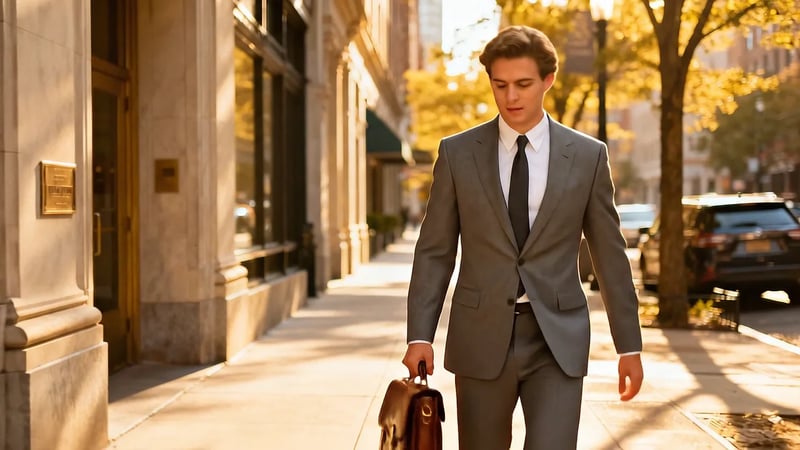
A slapstick fall with every sound written in
Veo 3.1, image to video. The photo of a man in a grey suit is the first frame. The prompt spells out each sound — distant traffic, a "THWACK" as he slips on a banana peel, a gasp, a "WHOOSH" as a portal opens under him — and then a rain of bananas in a black void. Listen for how the sounds land on the action; this is the kind of prompt where Veo 3.1's richer audio pays off.
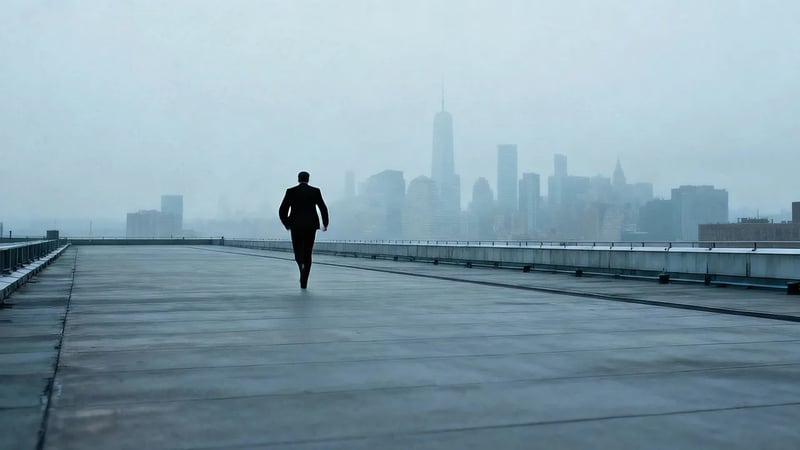
An action montage from one still
Veo 3.1, image to video. The start frame is a man walking along a waterfront. The prompt asks for "a full-speed, desperate sprint", a team of chasing figures, and "rapid succession of quick cuts, low-angle tracking shots". Watch the clip change framing several times inside 8 seconds while keeping the same waterfront setting.
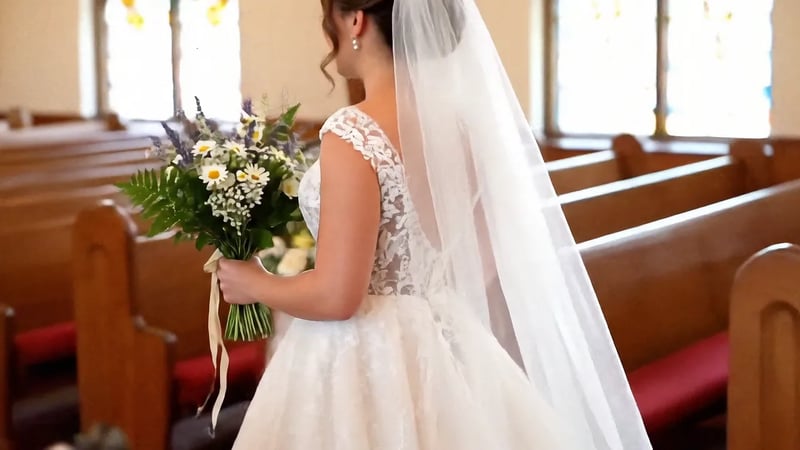
One character, carried in from reference images
Veo 3.1, made from a reference image. Prompt: "On the church aisle, the bride held a bouquet and walked toward her groom, saying to him, 'I do.'" Watch the bride stay recognisably the same across the cut from the aisle to the altar. On Veo Video, reference images run on Veo 3.1 Fast, with up to three images per clip.
What changed in Veo 3.1
Google released Veo 3.1 in October 2025 as the successor to Veo 3. The changes that matter when you are writing a prompt:
Closer prompt following
The model sticks more closely to what the prompt describes: the order of actions, the camera move, the style. The more precisely you write the shot, the more of it you get back.
Richer sound
Google describes Veo 3.1's audio as richer than Veo 3's. Dialogue, effects and ambience are generated with the picture, so a clip arrives with its own soundtrack.
Better photo to video
Google singled out image-to-video quality, picture and sound, as an improvement in this release. Useful when the first frame is a product photo or a portrait you need to keep.
First and last frames
Upload an end frame as well as a start frame and the model builds the motion between them — a reveal, a transformation, a transition between two shots.
Reference images
Up to three images of a character, product or place keep them consistent in a new scene. On Veo Video this runs on Veo 3.1 Fast.
720p, 1080p or 4K
Draft at 720p, then generate the keeper at 1080p or 4K, in 16:9 or 9:16.
Veo 3.1, Veo 3.1 Fast or Veo 3.1 Lite
All three are Veo 3.1 and make the same kind of 8-second clip with sound; they differ in detail and cost. Veo 3.1 costs several times more than Fast or Lite, so it earns its place on the shot you will actually publish: a hero clip, an ad, a scene with dialogue that has to sound right. Find the prompt on Veo 3.1 Lite, then run it here — each run is a new take, so the result will be close to the draft, not identical.
| This pageVeo 3.1The final, most detailed takeGenerate | Veo 3.1 FastEveryday work, reference images | Veo 3.1 LiteDrafts and high-volume clipsOpen Veo 3.1 Lite | |
|---|---|---|---|
| Starts from | Text, photo, start + end frame | Text, photo, start + end frame, reference images | Text, photo, start + end frame |
| Credits at 720p | 250 | 60 | 30 |
| Credits at 1080p | 255 | 65 | 35 |
| Credits at 4K | 380 (text) · 370 (photo) | 180 | 150 |
How to get a good Veo 3.1 take
- 1
Pick the start point
Text to video builds the whole scene from your words. Image to video opens on your photo; add an end frame if you know where the shot has to land.
- 2
Write the action as beats
Put the actions in the order they happen and use words like "suddenly" and "in the next moment" to mark the turns, as the banana-peel prompt does. Name one camera move.
- 3
Write the soundtrack into the prompt
Put spoken lines in quotes, name sound effects the way you want them heard ("a soft thud", "a sharp gasp"), and describe the ambience. English prompts give the most predictable results.
- 4
Generate the keeper at 1080p or 4K
Check timing and sound at 720p, then run the final at 1080p or 4K in 16:9 or 9:16.
Veo 3.1 FAQ
Veo 3.1 is the current version of Google DeepMind's video generation model, the successor to Veo 3. It makes 8-second clips from text or images, with sound generated together with the picture, in three tiers: Veo 3.1, Veo 3.1 Fast and Veo 3.1 Lite.
It follows prompts more closely, produces richer audio and turns photos into video with better picture and sound. It also adds first-and-last-frame control and reference images. Google now offers Veo 3.1 in place of Veo 3.
New accounts get 30 free credits, which cover one Veo 3.1 Lite clip at 720p. A clip on the full Veo 3.1 tier starts at 250 credits, so test the prompt on Lite first and spend credits on the final take here.
When the clip is the one you publish and detail matters, such as a hero shot, an ad or a dialogue scene. Google positions Veo 3.1 as the highest-fidelity tier. For drafts, testing ideas and high-volume social clips, Veo 3.1 Lite or Fast costs much less.
Yes, on the Veo 3.1 Fast tier: add up to three reference images of a character, product or place. The generator above uses the full Veo 3.1 tier, which starts from text or a photo.
720p, 1080p or 4K, in 16:9 for YouTube and the web or 9:16 for Shorts, Reels and TikTok. Each clip is 8 seconds.
Google's safety filters decline some requests, such as real public figures, sexual content or photos of children. If a generation is blocked, the credits go back to your balance.
Other Veo models
The cheapest Veo tier for drafts, and the model it replaced.
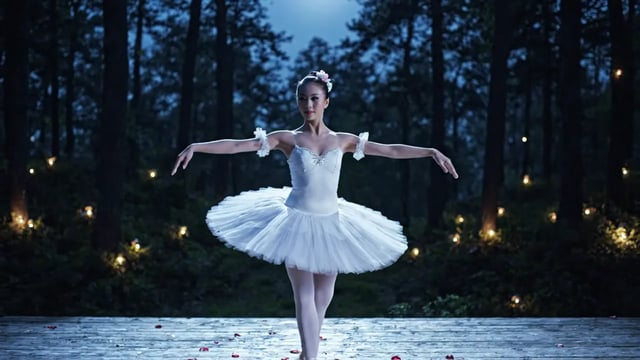
Veo 3.1 Lite: Google's lowest-cost Veo video model
Veo 3.1 Lite makes the same kind of clip as the other Veo 3.1 tiers — 8 seconds, sound included, from a prompt or a photo — at the lowest cost of the three. It is the default model on Veo Video, and a new account can make its first 720p clip free.
Veo 3: the Google DeepMind video model that added sound
Veo 3 was the first Veo model to generate sound with the picture: dialogue, sound effects and background noise in the same clip. Google has since replaced it with Veo 3.1, and every Veo video you make here runs on Veo 3.1 — the same kind of prompt, with sound, and closer prompt following.
Make your next take on Veo 3.1
Bring the prompt that worked on Lite, or start fresh from a sentence or a photo.