

Nano Banana: Google's Gemini 2.5 Flash Image generator
Nano Banana is the popular name for Gemini 2.5 Flash Image, Google's model for creating and editing pictures from plain-language instructions. Describe an image to create it, or upload photos and say what to change — it can blend several photos into one scene and keep a person or character recognizable from one image to the next.
Production preview
Images made with Nano Banana
Three pictures generated with Nano Banana from the prompt on each card — a photo, a character sheet and a product-style shot. Copy a prompt as a starting point, or send it to the generator above and change the details.
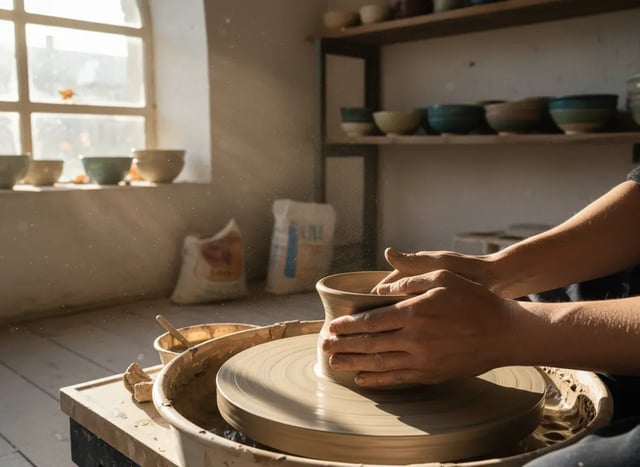
Nano Banana · text to image A photo-like moment in window light
Prompt
Photorealistic photo of a potter's hands shaping a wet clay bowl on a spinning wheel in a small sunlit studio. Afternoon window light, fine dust in the air, shelves of glazed bowls softly blurred in the background, shallow depth of field, 50mm lens, natural colors.
- Mode: Text to image
- Size: 4:3
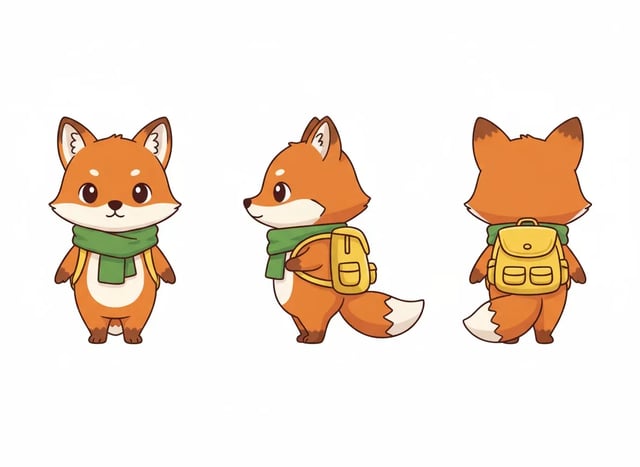
Nano Banana · text to image One character, three views in a single image
Prompt
Character turnaround sheet of one cartoon mascot: a small orange fox wearing a green scarf and a yellow backpack. The same fox is shown three times side by side on a plain white background: front view, side view, back view. Same proportions, same colors and the same outfit in every view. Clean flat illustration with soft shading. No text, no labels.
- Mode: Text to image
- Size: 4:3
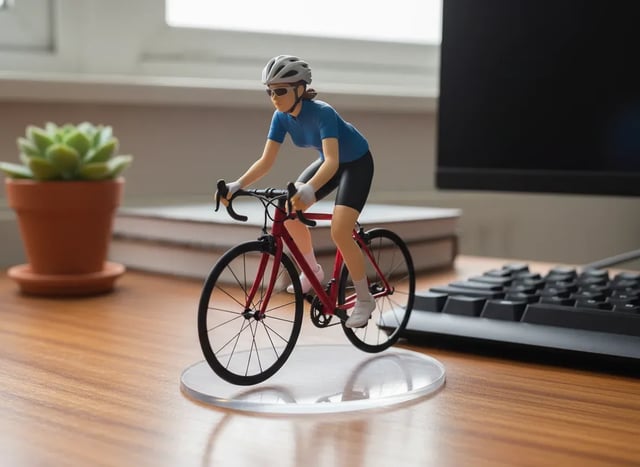
Nano Banana · text to image A desk figurine, styled like a product photo
Prompt
A collectible 1/7 scale figurine of a woman riding a red road bicycle, standing on a round clear acrylic base on a wooden desk next to a computer keyboard and a potted plant. She wears a plain solid blue cycling jersey with no graphics; the bicycle frame is plain glossy red with no decals. Soft indoor daylight, realistic product photo, painted plastic toy texture, shallow depth of field. Absolutely no text, letters, numbers or logos anywhere.
- Mode: Text to image
- Size: 4:3
What is Nano Banana (Gemini 2.5 Flash Image)?
Nano Banana is the nickname of Gemini 2.5 Flash Image, the image model Google released in August 2025, and the name stuck — people also search for it as Gemini Banana or Gemini Nano Banana. Google describes it as natively multimodal: the same model reads your words and your photos, so you can ask for a change the way you would ask a person — "make the sky stormy", "put her in a red coat" — instead of masking and layering by hand. Google has since added Nano Banana 2, Nano Banana 2 Lite and Nano Banana Pro to the family. All four are available on Veo Video, and Nano Banana is the image model selected by default.
What you can do with Nano Banana
Edit a photo with one sentence
Upload a photo and describe the change — swap the background, remove an object, change the color of a jacket. Google built the model for targeted edits described in natural language, so name the part you want changed and what should stay.
Combine several photos into one
Upload up to 10 photos and describe the scene you want: a product placed in a new setting, two people in the same frame, a room furnished with pieces from other pictures.
Keep a character consistent
Google designed the model to keep a person, pet or character looking like themselves from one image to the next. Upload the image with your character, describe the new scene, and say what must not change — face, hair, outfit.
Restyle a picture
Turn a photo into a watercolor, a flat illustration or a toy figurine, or apply the look of one image to a subject in another.
Any common shape
Pick from ten aspect ratios, from 21:9 banners to 9:16 phone screens, or leave it on auto to follow the shape of your uploaded photo.
Up to four takes at once
Ask for up to four images from the same prompt and keep the one that works. Each image is charged separately.
How to use Nano Banana
- 1
Choose text to image or image to image
Text to image starts from a description. Image to image starts from photos you upload — one to edit, or several to combine.
- 2
Say what you want
For a new image, describe the subject, the setting, the light and the style. For an edit, name the thing to change and what to keep: "replace the sky with a sunset, keep the people and the boat as they are".
- 3
Pick the shape and the number of images
Choose an aspect ratio — 1:1 for a profile or product tile, 9:16 for a story, 16:9 for a banner or a video frame — and how many takes to make.
- 4
Generate, then keep editing
If the result is close, upload it as the new starting image and ask for the next change. Small steps are easier to control than one long prompt.
Nano Banana vs Nano Banana 2, Nano Banana 2 Lite and Nano Banana Pro
Nano Banana is the everyday choice for quick images and photo edits. Choose Nano Banana 2 or Nano Banana Pro when you need a 2K or 4K file, Nano Banana Pro when the picture has to carry readable text, and Nano Banana 2 Lite for fast 1K drafts.
| This pageNano BananaEveryday images and photo editsGenerate | Nano Banana 2All-round work up to 4K | Nano Banana 2 LiteFast 1K drafts | Nano Banana ProText-heavy designs and product shotsSee Nano Banana Pro | |
|---|---|---|---|---|
| Google model | Gemini 2.5 Flash Image | Gemini 3.1 Flash Image | Gemini 3.1 Flash Lite Image | Gemini 3 Pro Image |
| Resolution | 1K | 1K, 2K, 4K | 1K | 1K, 2K, 4K |
| Aspect ratios | 10 plus auto, from 21:9 to 9:16 | 14 plus auto, adds 4:1, 1:4, 8:1, 1:8 | 14 plus auto, adds 4:1, 1:4, 8:1, 1:8 | 10 plus auto, from 21:9 to 9:16 |
| Photos you can upload | Up to 10 | Up to 14 | Up to 10 | Up to 8 |
| Credits per image | 4 | 8 (1K) | 4 | 20 (1K) |
Nano Banana FAQ
Yes. Nano Banana is the nickname of Gemini 2.5 Flash Image, Google's image generation and editing model. Gemini Banana and Gemini Nano Banana refer to the same model.
Yes. Switch the generator to image to image, upload one photo or up to 10, and describe the change. Google's safety rules apply, so some requests may be declined.
Upload the image that has your character, describe the new scene, and list what has to stay the same — face, hairstyle, clothes, colors. Make one change at a time and check each result before the next edit.
Ten aspect ratios, from 21:9 to 9:16, plus auto, which follows the shape of your uploaded photo. Images come out at a standard 1K size; for a 2K or 4K file, use Nano Banana 2 or Nano Banana Pro.
4 credits per image, whether you create or edit. New accounts get 30 free credits, enough to try several images before you buy more. Images made with free credits carry a watermark.
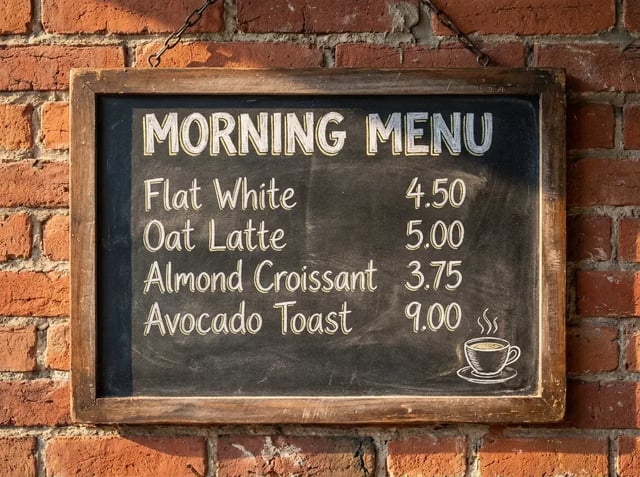
Use Nano Banana for everyday pictures, quick edits and trying ideas. Switch to Nano Banana Pro when the image must contain readable text — a poster, a menu, a label — or when you need a 2K or 4K file.
Yes. Make the image in the shape your video needs, then open the AI video generator, choose image to video and upload it as the first frame.
Make your first Nano Banana image
Type a prompt to create a picture, or upload a photo and say what to change.