

Veo 3: the Google DeepMind video model that added sound
Veo 3 was the first Veo model to generate sound with the picture: dialogue, sound effects and background noise in the same clip. Google has since replaced it with Veo 3.1, and every Veo video you make here runs on Veo 3.1 — the same kind of prompt, with sound, and closer prompt following.
Production preview
What is Veo 3?
Veo 3 is a video generation model from Google DeepMind, announced at Google I/O in May 2025. Earlier Veo models made silent clips, so any voice or sound had to be added afterwards. Veo 3 generated the audio together with the video: characters could speak lines written in the prompt, and sound effects and background noise arrived with the picture instead of in a separate edit. In October 2025 Google released Veo 3.1, which keeps native audio and improves on Veo 3 in prompt following, sound and photo-to-video quality. Google now lists the original Veo 3 as deprecated and offers Veo 3.1 in its place, in three tiers: Veo 3.1, Veo 3.1 Fast and Veo 3.1 Lite.
Native audio, now on Veo 3.1
The two clips below are Veo 3.1 clips. They show what Veo 3 made possible — talking characters and scenes with their own sound — as it works today.
Two characters, one scripted exchange
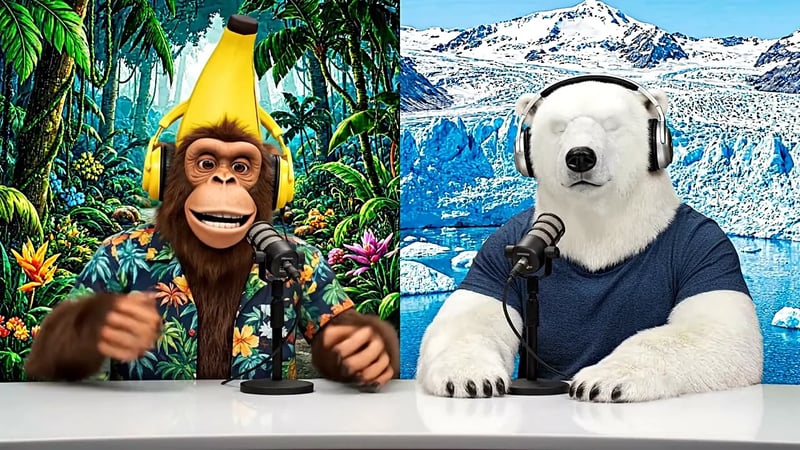
Veo 3.1, image to video. The start frame shows a monkey and a polar bear behind podcast microphones. The prompt scripts their opening: "Welcome back to Bananas & Ice! I am Banana" — "And I'm Ice!" Listen for the two voices and watch the mouths follow each line. This is the trick Veo 3 introduced: write the dialogue in quotes and the model speaks it.
A street at night, sound included
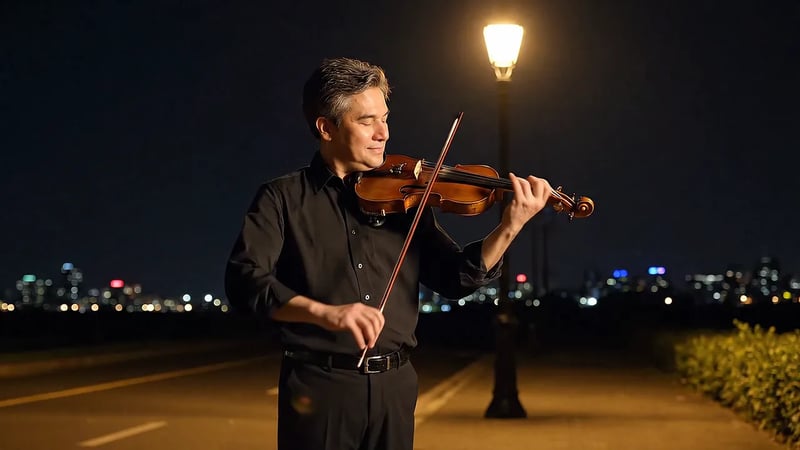
Veo 3.1, made from a reference image. Prompt: "A gentle man is playing the violin by the roadside on a quiet night." The prompt says nothing about sound; listen to the soundtrack Veo builds for the scene on its own. On Veo Video, reference images run on Veo 3.1 Fast, with up to three images per clip.
Veo 3 vs Veo 3.1
Veo 3.1 reads the same kind of prompt as Veo 3, so you can paste an old prompt as it is.
| Veo 3Google DeepMind, May 2025 | Runs hereVeo 3.1Google DeepMind, October 2025Generate | |
|---|---|---|
| Released | May 2025 | October 2025 |
| Sound generated with the video | Yes | Yes, richer |
| Follows the prompt | Yes | More closely than Veo 3 |
| Photo to video | Yes | Yes, with better picture and sound |
| First and last frames | — | Yes |
| On Veo Video | Replaced by Veo 3.1 | Veo 3.1, Veo 3.1 Fast and Veo 3.1 Lite |
How to write a Veo 3-style prompt with sound
- 1
Set the scene and the camera
Who is in the shot, where, and what the camera does: "two hosts at a desk, static medium shot" or "handheld, following her through the crowd".
- 2
Write the dialogue in quotes
Give each speaker a name and a line: Banana: "Welcome back!" Keep lines short enough to fit in 8 seconds.
- 3
Name the sounds you want
Effects ("a door slams", "rain on the window") and ambience ("café chatter", "distant traffic"). If you leave sound out, the model still generates a soundtrack for the scene.
- 4
Start from a photo if you have one
With image to video, your photo is the first frame and the prompt only needs the action and the sound.
Veo 3 FAQ
Google has replaced Veo 3 with Veo 3.1, so the generator here runs Veo 3.1. It makes the same kind of video the original made — native sound, from a prompt or a photo — and follows prompts more closely.
Google DeepMind announced Veo 3 at Google I/O on May 20, 2025. Veo 3.1 followed in October 2025, and Veo 3.1 Lite in March 2026.
Yes. It was the first Veo model to generate dialogue, sound effects and ambient sound together with the video. Veo 3.1 does the same, with richer audio.
New accounts get 30 free credits, enough for one Veo 3.1 Lite clip at 720p. It is the quickest way to try a Veo prompt with sound before you buy credits.
Yes. Veo 3.1 reads the same kind of prompt — scene, camera, dialogue in quotes, sound — and sticks closer to it. Expect a new take rather than the exact clip you got before.
Each Veo 3.1 generation is an 8-second clip, at 720p, 1080p or 4K, in 16:9 or 9:16.
Google DeepMind. Veo Video is an independent platform that gives you access to Google's Veo 3.1 models.
The Veo 3.1 models
The full-quality Veo 3.1 tier, and Veo 3.1 Lite for low-cost drafts.

Veo 3.1: Google's latest AI video model, with sound
Veo 3.1 is the current version of Google DeepMind's Veo. Give it a prompt or a photo and it returns an 8-second video with dialogue, sound effects and ambience generated alongside the picture. The generator below runs the full-quality Veo 3.1 tier — the one to use for the take you publish.
Veo 3.1 Lite: Google's lowest-cost Veo video model
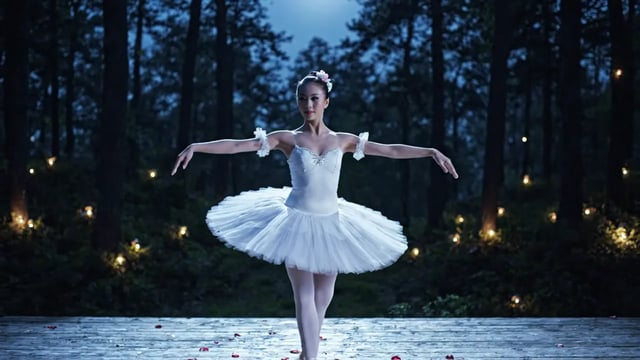
Veo 3.1 Lite makes the same kind of clip as the other Veo 3.1 tiers — 8 seconds, sound included, from a prompt or a photo — at the lowest cost of the three. It is the default model on Veo Video, and a new account can make its first 720p clip free.
Make a video with sound on Veo 3.1
Write a scene and a line of dialogue, or upload a photo to start from.