
AI Image Generator with Nano Banana, Nano Banana Pro and more
Describe a picture or upload a photo, pick a model, and get a finished image in the shape you need. Nano Banana is ready by default; switch to Nano Banana Pro for readable text and 4K files, or to a lighter model for quick drafts. Any image you make can also become the first frame of a video.
Production preview
Three AI images, three models
Each image was generated with the model named on its card, from the prompt shown. Copy a prompt, or send it to the generator above and pick the same model.
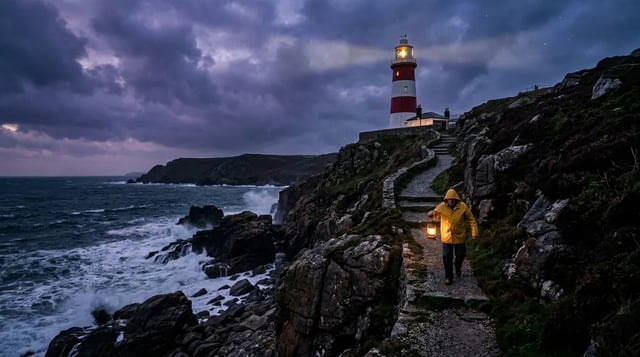
Nano Banana 2 · text to image · 1K A film still made to open a video
Prompt
Cinematic wide shot of a red-and-white lighthouse on a rocky cliff at dusk. Waves break on the rocks below. A lone keeper in a yellow raincoat walks up the cliff path carrying a glowing lantern. Stormy purple sky with the first stars appearing. Photorealistic film still, natural light, no text.
- Mode: Text to image
- Size: 16:9
- Resolution: 1K
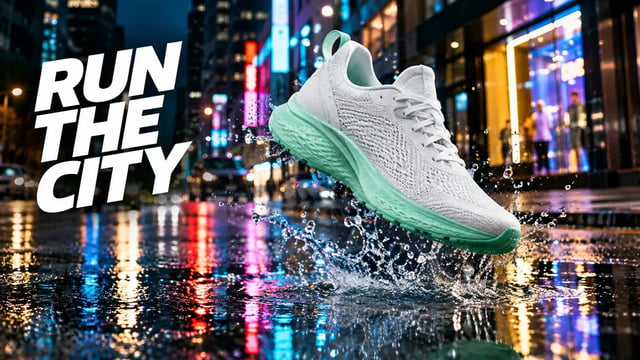
GPT Image 2.5 Flare · text to image · 1K An ad banner with the headline in the picture
Prompt
Advertising banner photograph: a white running sneaker with a mint green sole floating above a puddle on a city street at night, the water splash frozen mid-air, neon shop lights reflected in the wet asphalt. Bold white headline on the left side reading "RUN THE CITY". Photorealistic, high-end sports campaign look. No other text, no logos.
- Mode: Text to image
- Size: 16:9
- Resolution: 1K
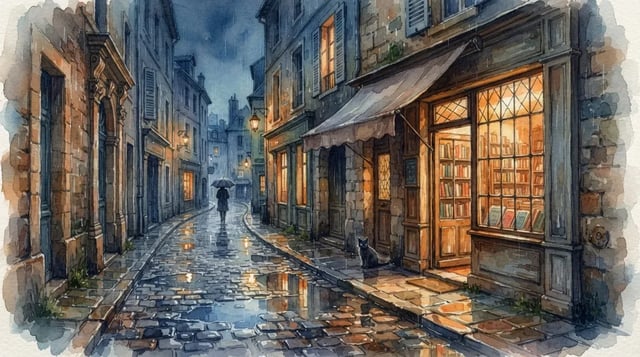
Nano Banana 2 Lite · text to image A watercolor scene as a quick draft
Prompt
Full-bleed wide watercolor illustration filling the entire 16:9 frame edge to edge, no paper border, no margins. A narrow old-town street with a small bookshop on a rainy evening. Warm light glows from the shop windows, puddles on the cobblestones reflect the light, a black cat sits dry under the shop awning, a person with an umbrella in the distance. Soft loose brushwork, muted blues and warm ambers. No text, no signs with letters.
- Mode: Text to image
- Size: 16:9
Text to image or image to image: how the AI image generator works
An AI image generator turns a written description into a picture, and here it works two ways. Text to image starts from your prompt alone: describe the subject, the setting, the light and the style, choose an aspect ratio, and the model draws it. Image to image starts from photos you upload — a product shot, a portrait, a sketch — and your prompt says what to change: replace the background, restyle the picture, combine several photos into one scene, or put the same character somewhere new. Every model here does both. They differ in resolution, how well they handle text inside the image, how many photos they accept, and what each image costs.
Which AI image model to use: Nano Banana, Nano Banana Pro, GPT Image 2.5 Flare or P-Image
Start with Nano Banana for everyday pictures and photo edits. Move to Nano Banana Pro when the image needs readable text or a 2K–4K file, to Nano Banana 2 for all-round work at higher resolution, and to Nano Banana 2 Lite or P-Image when you want many quick drafts.
| DefaultNano BananaEveryday images and photo editsGenerate | Nano Banana 2All-round work up to 4K | Nano Banana 2 LiteFast 1K drafts | Nano Banana ProReadable text, products, complex layouts | GPT Image 2.5 FlareSocial posts, ads and product shots | P-ImageThe lowest-cost drafts | |
|---|---|---|---|---|---|---|
| Resolution | 1K | 1K, 2K, 4K | 1K | 1K, 2K, 4K | 1K, 2K, 4K | Fixed size |
| Aspect ratios | 10 plus auto | 14 plus auto | 14 plus auto | 10 plus auto | 8 plus auto | 7 |
| Photos you can upload | Up to 10 | Up to 14 | Up to 10 | Up to 8 | Up to 16 | Up to 10 |
| Credits per image | 4 | 8 (1K) | 4 | 20 (1K) | 3 (1K) | 1 (text to image) |
How to use the AI image generator
- 1
Pick a model and a starting point
Nano Banana is selected by default; switch models in the generator. Choose text to image to start from a description, or image to image to start from your photos.
- 2
Describe the picture
Say what is in it, where it is, how it is lit and what style it should have. Put any words that must appear in the image in quotes. For an edit, say what to change and what to keep.
- 3
Set the shape and size
Pick 1:1 for a post or product tile, 9:16 for a story, 16:9 for a banner or a video frame. On models with a resolution choice, use 1K to test and 2K or 4K for the final file.
- 4
Generate and refine
Make up to four takes at once and keep the best. To adjust one, upload it as a starting image and describe the next change.
Turn an AI image into the first frame of a video
A picture you make here can open a video. Generate it in the shape the video needs — 16:9 for YouTube and the web, 9:16 for Shorts, Reels and TikTok — then open the AI video generator, choose image to video and upload it as the start frame. Veo 3.1 or MiniMax H3 Max animates it from there, with sound generated in the same clip. The lighthouse above was made with Nano Banana 2 at 16:9 for exactly this.
Nano Banana and Nano Banana Pro in detail
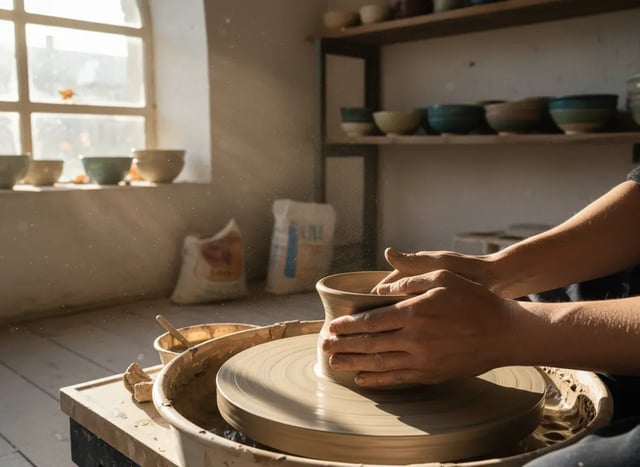
Each page covers what the model is good at, example prompts, and how it compares.
AI Image Generator FAQ
Yes. New accounts get 30 free credits — enough for several Nano Banana images, or one Nano Banana Pro image at 1K. Images made with free credits carry a watermark.
Text to image creates a picture from your description alone. Image to image starts from photos you upload and changes them the way your prompt says — a new background, a new style, or several photos combined into one.
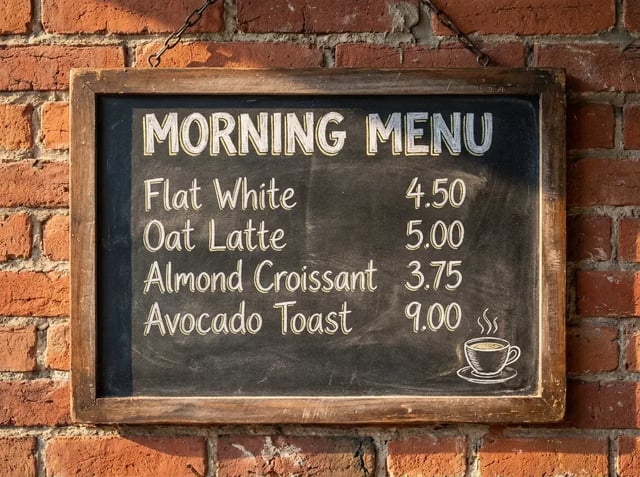
Nano Banana Pro. Google built it to render legible text, and the menu and product label on its page were generated with it. GPT Image 2.5 Flare can also set a short headline, as the banner above shows. Put the exact words in quotes either way.
It depends on the model: up to 8 on Nano Banana Pro, 10 on Nano Banana, Nano Banana 2 Lite and P-Image, 14 on Nano Banana 2 and 16 on GPT Image 2.5 Flare.
Yes, up to four takes from the same prompt. Each image is charged separately.
Nano Banana, Nano Banana 2, Nano Banana 2 Lite and Nano Banana Pro are Google's Gemini image models; GPT Image 2.5 Flare is from OpenAI. Veo Video is an independent platform that gives you access to them.
Make your first AI image
Type a prompt or upload a photo — Nano Banana is ready to go.